How QZ works
QZ connects with two leads — one to the battery's positive pole, one to a chassis ground — without touching the vehicle's electronics, no OBD, no CAN bus.
It arrives ready. Every device is configured before it ships and calibrated individually against a reference meter — not by a formula for the whole batch, but one unit at a time. Two units from the same delivery differ in their offsets, which is precisely why each one is measured on its own. You connect two wires; there is nothing to set up.
Red lead to a permanent positive point (+), black to a chassis ground (−). Installation takes about 10 minutes on most vehicles. Have it done by a workshop or another qualified person.
Over its built-in 4G connection — no Wi-Fi, no Bluetooth. SIM and mobile data are included in the active service. Works wherever there is phone signal.
A push notification says in plain language what is happening and what to do. No need to open the app.
Activation guides you step by step: QR code on the device, alerts on your phone, done. After that, only notifications when action is needed.
Real recording of the QR-code activation (26 s). The app runs in Slovak, English and German.
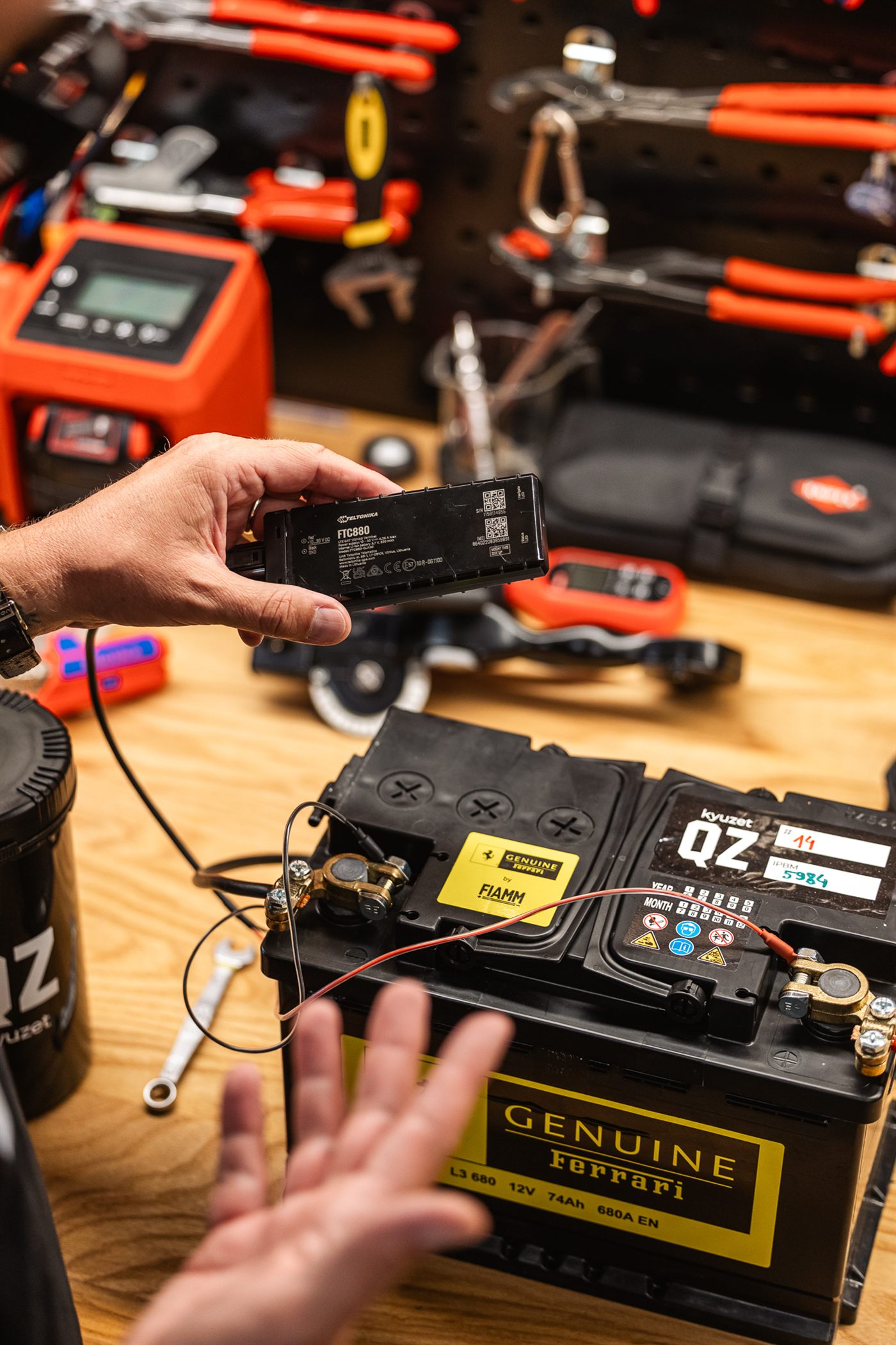
The QZ device before installation — red lead to a permanent positive point (+), black to a chassis ground (−), typically ~10 minutes.
Quick install manual
According to the manufacturer's instructions, the device may only be connected by a qualified person. If that is not you, have any workshop fit it — this guide serves as their reference. Also follow the vehicle manufacturer's instructions.
Check before you start.
- The vehicle has a 12 V system with the negative pole on the chassis. QZ is not intended for 6 V vehicles or vehicles with a positive earth (some classic cars).
- The battery and its cables are undamaged and the terminal clamps sit tight on the poles.
- If there is a battery sensor on the negative pole, the black lead goes to a chassis ground point, not to the negative pole.
- The battery can be reached safely. If it sits in the boot, under a seat or under a cover, follow the vehicle manufacturer's instructions.
When working on the positive clamp, never let a tool bridge it to the vehicle body or the negative pole — this can cause a short circuit and burns.
Newer vehicles may carry a battery sensor (IBS) on the negative pole, which watches the current flowing into and out of the battery. On such a vehicle always connect the black lead to a chassis ground point, never to the negative pole — otherwise the sensor does not count what QZ draws.
If you are unsure which point to use, we recommend asking a workshop.
QZ needs a mobile signal — without one it cannot report. If you can, do not place it under a metal cover: when the device can “see” at least a little sky, the first setup after connecting is faster.
The indicator lights
The device has two lights. They report its own state, not the battery's.
| White light | Meaning |
|---|---|
| Blinking once a second | Awake |
| Blinking once every two seconds | Sleep — the normal state of a fitted device |
| Short fast flicker | Talking to the mobile network |
| Off | Starting up, or not working |
| Blue light | Meaning |
|---|---|
| Blinking once a second | Position acquired |
| On permanently | Searching for a position |
| Off | Switched off, or the device is asleep |
Fast continuous blinking means a firmware update is in progress. Do not disconnect power while it lasts. And above all: successful activation is confirmed by the app, not by the lights.
When nothing seems to happen
| What you see | What it means |
|---|---|
| Nothing lights up right after wiring | The device is starting. Give it 1–2 minutes. |
| White blinks once every two seconds | All is well — this is what normal operation looks like. |
| White is blinking, nothing in the app yet | The device is alive and reporting. In an underground garage this can take longer. |
| Still nothing after several minutes | Check both terminal connections. |
If the app still shows no first measurement after 30 minutes, write to support@kyuzet.com. We can see remotely whether it checked in — you do not need to describe anything.
Exact measurement limits and what QZ does not measure — open methodology →